Copy up to 25 clips to the clipboard

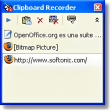
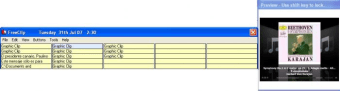
One of the things that annoys me most about using Windows is the fact that the clipboard only allows you to make one copy before pasting. I was pretty excited to test M8 Multi Clipboard because it lets you save up to 25 clips on the clipboard for pasting at a later point. If the clip is text, you can see several lines and if it is a graphic, you can see a thumbnail instead which is absolutely brilliant for working out what and what you haven't used. The program works fairly well too, staying hidden in the taskbar until you need it, when you can access the 25 last captures. Simply by rolling over each one, a preview is generated.

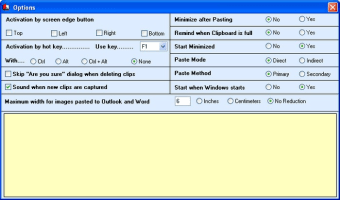
You can make the program even quicker to access through the use of shortcut keys, choosing your own key combinations to access particular functions, such as capturing the full screen, a single window, a menu within a window, etc. to capture the entire screen you simply press Prt Scr, to capture the active window press Alt+PrtScr and to capture an individual graphic point to the graphic, right click and select "Copy" from the drop down list.

Although it contains no editing functions, M8 is great for making multiple captures to your clipboard.


  • Pros

    • Stays hidden in the taskbar
    • Nice preview option
    • Customisable keyboard shortcutsAdds tons of features to Windows clipboard
    • Maintains original format and images
  • Cons

    • No editing tools
    • Is not able to select all graphic types
 0/3

App specs

  • License

    Free

  • Version

    23.08
  • Latest update

  • Platform

    Windows

  • OS

    Windows 98 SE

  • Language

    English

  • Downloads

    6.5K

    Last month's downloads

    • 12
  • Size

    7.29 MB

  • Developer

Program available in other languages


User reviews about M8 Multi Clipboard

Have you tried M8 Multi Clipboard? Be the first to leave your opinion!

Add review

You may also like

Alternatives to M8 Multi Clipboard

Explore Apps

Latest articles

Laws concerning the use of this software vary from country to country. We do not encourage or condone the use of this program if it is in violation of these laws.
Softonic

Is M8 Multi Clipboard safe?

100/100

Score result: Clean

This file passed a comprehensive security scan using VirusTotal technology. It is safe to download.
  • Virus free
  • Spyware free
  • Malware free
  • Verified by Security Partners

    VirusTotal logo

Scan Info

Last scan
Tuesday, December 12, 2023
Scan provider
VirusTotal · Full report

File Integrity

File
freeclip.exe
SHA256
28d88ab9eac0fc5e691005fcb7cb8c9bee9832e702640a976a1776867b503211
SHA1
67a5af9af5ddc8b068c601436f2171a04fd39118

Softonic security commitment

M8 Multi Clipboard has been thoroughly scanned by our advanced security systems and verified by industry-leading partners. This file comes from the official developer and has passed all our security checks, showing no signs of viruses, malware, or spyware. For more information, visit our Security and Trust Center